
AI Website Builders for B2B: What Webflow and Framer AI Can (and Can’t) Do
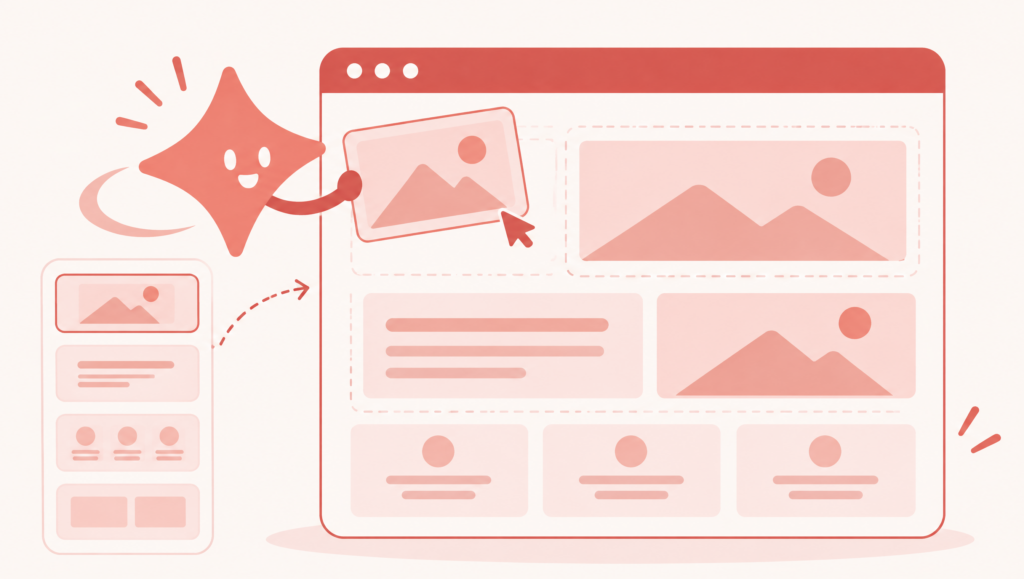
An AI website builder for B2B teams can now produce a first draft of a site in minutes. That is real progress. However, a fast draft is not the same as a site that wins buyers, ranks and gets cited by AI tools.
This guide looks at what changed in 2025 and 2026, what builders like Webflow and Framer do well, what they still leave to you and when to call a designer. It ends with a 12-point review checklist for any AI-generated site. It is a neutral review, not a recommendation of one tool.
Short answer: AI builders are good at first drafts, layout and design systems. They do not know your positioning, your proof or your technical SEO needs. Treat the output as a draft, then review copy, claims, accessibility, speed, headings, schema and crawler access before you publish.
What changed in 2025 and 2026
Webflow introduced its AI site builder in February 2025 to generate a homepage and design system from a prompt. In its February 2026 update, the builder added multi-page site creation (up to five pages), built-in animations and a refreshed flow, with the output editable in Webflow.
Framer moved toward agents. Its Framer Agents work inside a project to design, edit pages, update CMS content and help with tasks after launch. In other words, AI is no longer only a starting point; it is becoming part of ongoing site maintenance.
What an AI website builder does well
- First drafts: a full layout with sections, images and placeholder copy in minutes.
- Design systems: consistent colors, type and spacing from the start.
- Speed: teams can test several directions before committing.
- Small edits: agents can update text, swap sections or add pages on request.
- Responsive layouts: mobile versions come built in.
What they still do not do
The gaps are less about design and more about knowledge only your team has.
| Area | What AI builders produce | What you still need to do |
|---|---|---|
| Positioning | Generic headlines from the prompt | Choose the category, audience and core claim |
| Proof | Placeholder logos and testimonials | Replace with real, approved proof only |
| Claims | Confident numbers that may be invented | Delete or source every number |
| Technical SEO | Basic titles and structure | Check headings, canonicals, schema and redirects |
| Content depth | Short marketing sections | Add pages that answer real buyer questions |
| Accessibility | Varies by template | Test contrast, keyboard use and alt text |
The invented proof problem
AI drafts often include sample testimonials, logos or stats that look real. If one of them ships, it can damage trust and create legal risk. Therefore, search the draft for every quote, logo and number before launch.
A 12-point review checklist before publishing an AI-built site
- Headline: says what you do and for whom, in your buyer’s words.
- Copy: no filler phrases or claims you cannot back up.
- Numbers: every figure has a source or is removed.
- Testimonials and logos: all real and approved, none from the template.
- Headings: one
h1per page and a logicalh2andh3order. - Text in HTML: key text is real text, not baked into images.
- Accessibility: contrast, alt text, keyboard navigation and form labels pass.
- Speed: images compressed, animations not blocking content, Core Web Vitals checked.
- Metadata: unique titles and meta descriptions on every page.
- Schema: Organization and other relevant structured data added and valid.
- AI crawlers: robots.txt and CDN settings allow the bots you want.
- Analytics and forms: tracking fires and form submissions reach your CRM.
Points 10 and 11 are easy to miss. Our guides to structured data for AEO and the technical AEO checklist cover both in more depth.
When to call a designer
AI builders lower the cost of a first version. Still, some jobs benefit from a human designer or strategist.
- You are repositioning the company and need to test messages, not layouts.
- The site must support a complex product with many audiences.
- Your brand needs to stand out in a crowded category where templates look alike.
- You need a design system that scales across product, marketing and docs.
- The AI draft keeps looking close but never right after several rounds.
Limits of this review
These tools change every few months, so features described here may already be different. Check each vendor’s current documentation before deciding. Also, this article does not compare pricing, which varies by plan and usage.
Frequently asked questions
Can an AI website builder make a full B2B site?
It can make a solid first draft. You still need to add positioning, real proof, deeper content and technical checks.
Is Webflow or Framer better for B2B?
It depends on your team and workflow. Test both with your own content before choosing.
Are AI-built sites bad for SEO?
Not by default. Problems come from thin content, invented claims and skipped technical checks.
Do AI builders handle accessibility?
Partly. Always test contrast, keyboard use and alt text yourself.
How long does a review take?
For a five-page site, plan for a few hours with the 12-point checklist, plus time to replace copy and proof.
Conclusion
An AI website builder for B2B can save weeks on the first draft. The value of your site, though, still comes from clear positioning, honest proof and solid technical work. Run the 12-point checklist on every AI-built page before it goes live.
Want more practical guides on web design? Browse the latest articles on the Blippu blog.