
Bing AI Performance Report: Grounding Queries, Citation Share and Intents
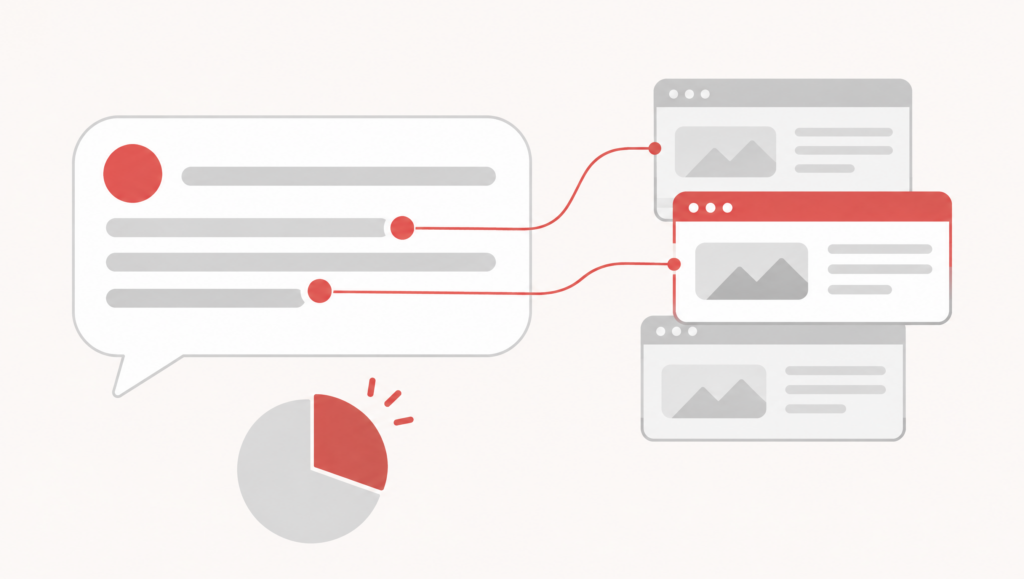
The Bing AI Performance report in Bing Webmaster Tools shows how often your pages are cited in AI-generated answers across Microsoft Copilot, Bing’s AI summaries and select partner integrations. It also shows grounding queries, the searches Bing’s AI runs to find sources. For B2B teams, it is one of the few first-party windows into AI citations, and many never open it.
This guide explains what the report measures, what grounding queries are and how the Intents and Topics views group them. It also covers what Citation Share does and does not mean, how to use Compare to test changes and what the report still lacks. It ends with a grounding-query triage sheet.
What does the Bing AI Performance report measure?
Short answer: The report counts citations: how many times your pages were used as sources in AI-generated answers. It shows total citations, cited pages, grounding queries and trends over time. It covers Microsoft Copilot, AI summaries in Bing and select partner integrations, all combined in one view.
Microsoft introduced AI Performance as a public preview in February 2026, calling it an early step toward generative engine optimization tooling. Setting up Bing Webmaster Tools takes a few minutes if you import your site from Google Search Console.
What are grounding queries, and why aren’t they the user’s prompt?
Short answer: Grounding queries are the searches Bing’s AI runs behind the scenes to find sources for an answer. They are not the words the user typed. One user prompt can produce several grounding queries, so they show how the AI looks for information, not exactly what the buyer asked.
That distinction makes grounding queries valuable for content planning. They reveal the search terms the AI uses to find pages like yours. If the AI searches for “SOC 2 compliance automation pricing” and cites a competitor, you know which page and which facts to improve.
How do the Intents and Topics views group your citations?
Short answer: Intents classify grounding queries into broad categories, such as Informational, Commercial, Navigational, Learn and Solve, Research, Creation and Local. Topics group related grounding queries into themes. Together they show what kind of questions cite you and which subjects you own.
Bing added both views on June 16, 2026, as part of a preview rolling out globally. For B2B, the Commercial and Research intents usually matter most, because they sit closest to vendor evaluation.
| View | What it shows | B2B use |
|---|---|---|
| Intents | Category of each grounding query | Check whether you are cited in commercial and research questions |
| Topics | Clusters of related grounding queries | Find themes where you have no citations yet |
| Citation Share | Your share of citations for a query | Spot queries where others are cited more often |
| Compare | Current period against a previous one | Test whether a content change moved citations |
What does Citation Share mean in the Bing AI Performance report?
Short answer: Citation Share is the percentage of citations for a specific grounding query that go to your site, out of all citations shown for that query. Bing calls it an observational metric, not a ranking system or a competitive scoreboard. It does not reveal competitor domains or traffic share.
Use it to prioritize. A query with many citations but a low share for you is a gap worth closing. A query with a high share is a strength to protect with regular updates. Do not report it to leadership as “market share”, because it is not.
How do you use Compare to check whether a content change worked?
Short answer: Compare overlays a previous time period on the current report, such as the last 30 days against the prior 30 days. Note the date you changed a page, wait a few weeks, then compare citations for that page and its grounding queries before and after.
- Log the page, the change and the date in a simple change log.
- Wait at least two to four weeks for the page to be recrawled and cited.
- Use Compare with equal-length periods before and after the change.
- Check citations for the page and Citation Share for its main grounding queries.
- Change one thing at a time, so you know what made the difference.
Bing also powers parts of other AI search experiences, so these improvements can matter beyond Copilot. Our guide to getting your website into ChatGPT answers explains why Bing indexing matters there too.
What is still missing from the Bing AI Performance report?
Short answer: The report does not show clicks from AI answers, does not let you filter by a single surface such as Copilot alone and does not name the partner integrations. It also covers only Microsoft’s ecosystem, not other assistants. Use it alongside your own monitoring and analytics.
For a broader view across assistants, see our guide to building an AI search monitoring system. Because the report is still a preview, Microsoft may change metrics and definitions, so note the date of every export. For OpenAI’s equivalent data, read our guide to ChatGPT’s new business analytics.
Bing AI Performance report: grounding-query triage sheet
Short answer: Export your top grounding queries each month and triage them in this sheet. For each query, note its intent, topic, your Citation Share, the page that should answer it and the next action. Work through the rows with the lowest share and highest commercial value first.
| Grounding query | Intent | Topic | Citations | Citation Share | Best matching page | Next action |
|---|---|---|---|---|---|---|
| Update / create / leave | ||||||
Frequently asked questions about the Bing AI Performance report
Is the Bing AI Performance report free?
Yes. It is part of Bing Webmaster Tools, which is free for verified site owners. You can verify your site directly or import it from Google Search Console in a few minutes. The report is still a preview, so features and metrics may change as Microsoft develops it.
Does the Bing AI Performance report include ChatGPT citations?
No. The report covers Microsoft Copilot, AI summaries in Bing and select partner integrations that Microsoft does not name individually. Citations inside ChatGPT are not part of this report. OpenAI now offers its own data through ChatGPT Business Hub, which measures mentions and clicks separately.
Why are my citations high but my traffic flat?
Citations show that AI answers used your page as a source, not that users clicked. Many AI answers satisfy the question without a click. The report does not show clicks, so compare citation trends with Bing and Copilot referrals in your analytics to see whether visibility turns into visits.
How far back does the data go?
The report started with roughly three months of history in its early preview, according to industry coverage at launch. Export your data regularly so you keep a longer record of your own, because retention and features may change while the report is in preview.
Next step
Open the Bing AI Performance report this week, export your top 20 grounding queries and fill in the triage sheet. Pick the three commercial queries with the lowest Citation Share and update the pages that should answer them.
Want more practical guides on the Bing AI Performance report and AI search measurement? Browse the latest articles on the Blippu blog.