
IndexNow for AI Search: Faster Indexing for Bing, Copilot and ChatGPT
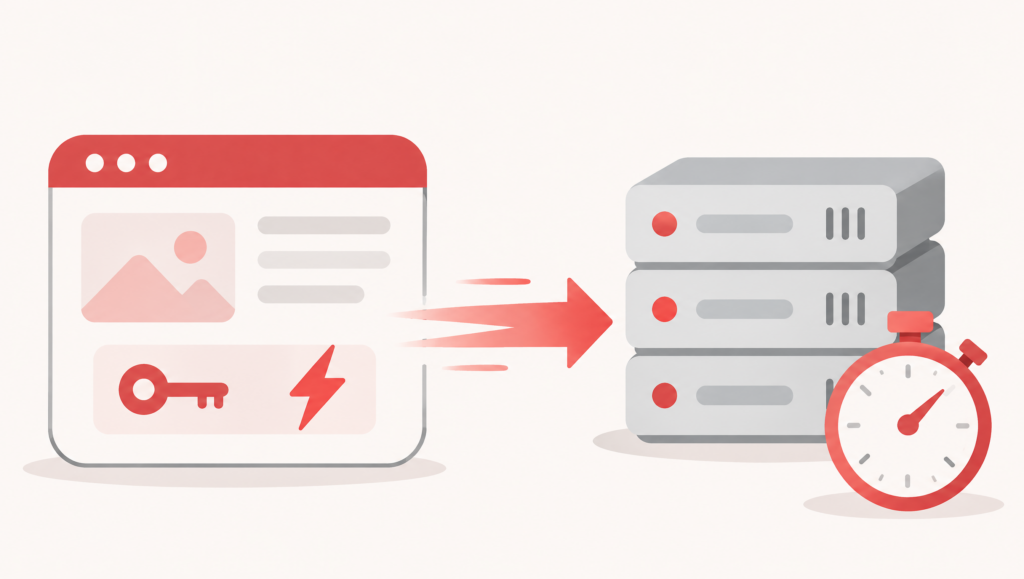
IndexNow is an open protocol that tells search engines the moment a page is added, updated or deleted. You no longer wait for the next crawl. Bing and several other engines support it, and Microsoft now links it directly to AI answers. For B2B SaaS teams, that makes IndexNow a fast way to keep Copilot and other Bing-powered assistants working from your latest pages.
This guide explains what IndexNow is, which engines support it and why it matters for AI answers. It also covers how to set it up, how to check that it works in Bing Webmaster Tools and which mistakes waste submissions. It ends with a setup and testing checklist.
What is IndexNow?
Short answer: IndexNow is a simple ping. When a URL changes, your site sends it to an IndexNow endpoint with a secret key, and participating search engines learn about the change within moments. A key file on your domain proves you own the site. One submission is shared with all engines that support the protocol.
The IndexNow documentation describes two options: a GET request for one URL, or a POST request with a JSON list of URLs. The search engine then fetches your key file to verify ownership and uses the key until you change it.
Which search engines support IndexNow?
Short answer: Bing, Yandex, Naver, Seznam and Yep support IndexNow, and a submission to one is shared with the others. Google does not. IndexNow will not speed up Google indexing or AI Overviews, so keep your XML sitemap and Search Console work in place for Google.
| Engine or product | Uses IndexNow? | Why it matters for B2B SaaS |
|---|---|---|
| Bing | Yes | Feeds Microsoft Copilot and Bing AI summaries |
| Microsoft Copilot | Through Bing | Copilot grounds web answers in Bing search |
| Yandex, Naver, Seznam, Yep | Yes | Regional engines, useful if you sell in those markets |
| No | Use sitemaps and Search Console instead |
Why does IndexNow matter for AI answers?
Short answer: AI assistants built on Bing can only use the version of a page that Bing has indexed. If you change pricing, a feature list or a security answer, IndexNow tells Bing right away. Copilot and other Bing-based answers are then less likely to quote an outdated page.
Microsoft made the link explicit in February 2026. When it introduced AI Performance in Bing Webmaster Tools, it said that IndexNow helps ensure AI systems reference the most current version of a page. In a 2025 presentation, Bing said that about half of clicked, newly indexed URLs in its results came from IndexNow. It also said it does not rank those URLs higher.
Bing also powers parts of other AI search products. Our guide to getting your website into ChatGPT answers explains why Bing indexing matters there too. For a full plan, see our guide on how to get cited by Copilot.
How do you set up IndexNow?
Short answer: First check whether your CMS, CDN or SEO plugin already supports IndexNow, because many do it for you. If not, create a key and host it as a text file at your domain root. Then send changed URLs to the IndexNow endpoint whenever pages are published, updated or removed.
- Check your CMS, hosting provider or SEO plugin for a built-in IndexNow option and turn it on.
- If you build it yourself, generate a key of 8 to 128 characters using letters, numbers and dashes.
- Save the key in a UTF-8 text file named after the key, such as yourkey.txt, at the root of the domain.
- Trigger a submission from your publishing workflow every time a URL is added, changed or deleted.
- Send up to 10,000 URLs per POST request, all from the same host.
A bulk request looks like this:
POST https://api.indexnow.org/indexnow
Content-Type: application/json; charset=utf-8

{
  "host": "www.example.com",
  "key": "your-key",
  "keyLocation": "https://www.example.com/your-key.txt",
  "urlList": [
    "https://www.example.com/pricing/",
    "https://www.example.com/integrations/hubspot/"
  ]
}
If you host the key file in a subfolder, the key only covers URLs inside that folder, so the root is usually the simplest choice.
How do you check that submissions work?
Short answer: Read the response code first: 200 or 202 means the request was received. Then open the IndexNow section of Bing Webmaster Tools to see submitted URLs, and use URL Inspection to confirm Bing indexed the new version. Server logs should show Bingbot fetching the URLs soon after.
| Response | Meaning | What to do |
|---|---|---|
| 200 or 202 | Received; key may still be validating | Check Bing Webmaster Tools later |
| 400 | Bad request format | Check the JSON and headers |
| 403 | Key not valid or key file not found | Make sure the key file loads publicly |
| 422 | URLs do not belong to the host or key mismatch | Send each host separately |
| 429 | Too many requests | Slow down and stop resubmitting unchanged URLs |
To see whether fresher pages are cited more often, compare citations before and after in the Bing AI Performance report.
Which IndexNow mistakes waste submissions?
Short answer: The most common mistakes are resubmitting unchanged pages and sending URLs that redirect or are set to noindex. Teams also forget deleted pages or block the key file with a firewall. Each one wastes crawl effort or stops verification, and none of them makes pages index faster.
- Pinging unchanged pages: submit only real changes, as they happen.
- Submitting the wrong URLs: send canonical, indexable URLs, not redirects or parameter versions.
- Ignoring deletions: submit removed URLs too, so old pages drop out of AI answers sooner.
- Blocked key file: bot protection can return 403 to Bingbot, as our guide to CDN and firewall settings for AI crawlers explains.
- Dropping sitemaps: IndexNow adds speed but does not replace an XML sitemap with accurate lastmod dates.
IndexNow setup and testing checklist
Short answer: Work through the checklist once at setup, then review it after any CMS, CDN or domain change. Each line has a clear pass condition. A developer and a marketer can check it together in under an hour and know whether IndexNow is really working.
| Check | Pass condition | Done? |
|---|---|---|
| Built-in support | CMS, CDN or plugin option checked and on, or custom setup planned | |
| Key file | Loads publicly at the domain root with status 200 | |
| Trigger | Publish, update and delete events send a request | |
| URL quality | Only canonical, indexable URLs are sent | |
| Response codes | Logged, with alerts on 403, 422 and 429 | |
| Bing Webmaster Tools | Submitted URLs visible in the IndexNow section | |
| Sitemap | Still submitted, with accurate lastmod dates |
Frequently asked questions about IndexNow
Does IndexNow help with Google?
No. Google does not participate in IndexNow, so submissions do not reach Google Search, AI Overviews or AI Mode. Keep your XML sitemap, internal links and Search Console in place for Google. IndexNow is an addition for Bing and the other participating engines, not a replacement.
Does IndexNow improve rankings or citations?
IndexNow speeds up discovery, not ranking. Bing has said it does not favor URLs because they came through IndexNow. The benefit is freshness. When you update a page, Bing and the assistants that rely on it can use the new version sooner.
Should we submit every URL on our site?
No. Submit URLs when they are created, changed or deleted. Sending the full site repeatedly does not help and can trigger rate limits. For a first launch, your sitemap already lists existing pages, so focus IndexNow on changes from now on.
Is it safe for B2B SaaS sites?
Yes, as long as you submit only public pages you want indexed. The key only proves ownership; it does not give access to your site. Keep login, staging and customer-specific URLs out of the workflow, and check that your rules match your robots.txt and noindex settings.
Next step
Check this week whether your CMS or CDN already supports IndexNow and turn it on, or plan the custom setup with your developer. Then run the checklist and watch the IndexNow section of Bing Webmaster Tools for two weeks. For the full list of technical checks, see our technical AEO checklist.
Want more practical guides on IndexNow and technical AEO? Browse the latest articles on the Blippu blog.