
The 3-Stage LinkedIn Ads Funnel: Formats, Budget Split and Hand-Offs
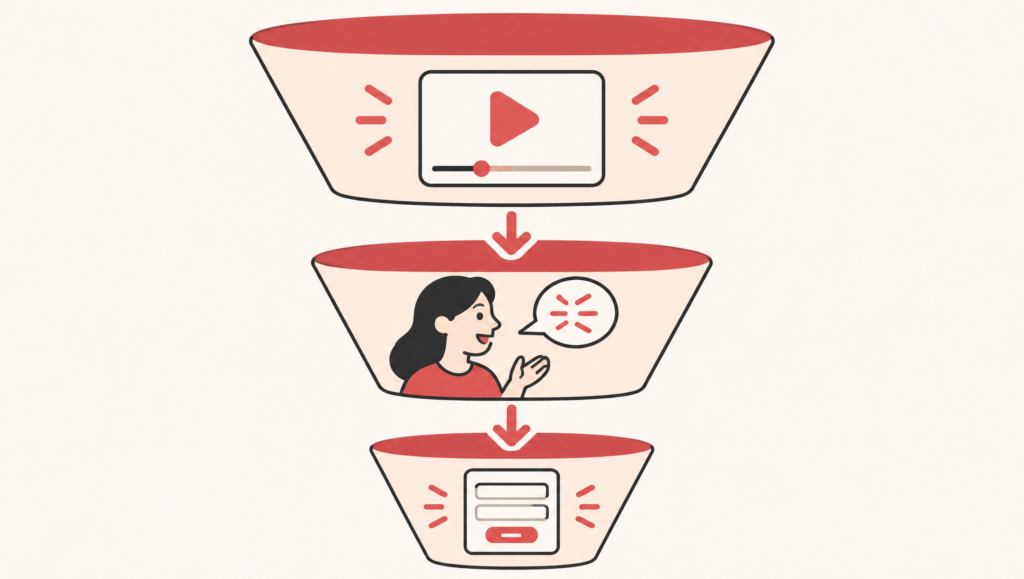
Short answer: a LinkedIn Ads funnel has three stages. Stage 1 builds attention with video and documents, Stage 2 builds trust with Thought Leader Ads and proof, and Stage 3 asks for the lead. Move people between stages with retargeting audiences, exclude them from the stage they left and shift budget toward later stages as the warm pools grow.
Stage 1 on LinkedIn usually brings close to zero pipeline. That is not a problem. It is where every later deal starts. This guide maps a LinkedIn Ads funnel stage by stage, with formats, audiences, exclusions and a ramp-up plan by month.
Why LinkedIn creates demand rather than capturing it
On Google, people search for a solution, so ads capture demand that already exists. On LinkedIn, people scroll a feed, and most of your audience is not shopping today. Therefore, the job of a LinkedIn Ads funnel is to make the right accounts know and trust you before they start buying. If you judge Stage 1 by leads, you will cut it too early.
Stage 1: attention with video and documents
The goal is reach and useful attention across your target list. Formats that work well:
- Short video that explains a real problem your buyers face.
- Document ads with a checklist or a short guide, no form.
- Single image posts with one clear idea.
Measure reach, video views and the size of the warm pools. Our guide to LinkedIn video retargeting shows how to build these pools cheaply.
Stage 2: trust with Thought Leader Ads and proof
Now you speak to people who already watched or read something. Show who is behind the product and why it works:
- Thought Leader Ads from your founders or experts.
- Customer stories and proof, only with real, approved data.
- The cost of doing nothing: what the problem costs if it stays.
We cover the first format in depth in LinkedIn Thought Leader Ads, so here it is enough to say that it belongs in the middle of the funnel.
Stage 3: the ask with lead gen and message ads
This stage targets people who engaged in Stage 2 or visited key pages. Make a clear offer: a demo, an audit, a trial or a price quote. Lead gen forms reduce friction, while a focused landing page lets you qualify better. Our article on the LinkedIn Ads landing page explains how to build one for cold and warm traffic.
Exclude people between stages
Each stage should exclude the audiences of the next stage. Otherwise, a person who already asked for a demo keeps seeing your intro video.
| Stage | Format | Audience | Exclude | Budget share month 1 | Budget share month 4+ |
|---|---|---|---|---|---|
| 1. Attention | Video, documents | Company list plus roles | Stage 2 and 3 pools, customers | 80% | 50% |
| 2. Trust | Thought Leader Ads, proof | Video viewers, document readers | Stage 3 pool, leads | 20% | 30% |
| 3. Ask | Lead gen forms, message ads | Stage 2 engagers, site visitors | Leads and customers | 0% | 20% |
These shares are our planning defaults, not LinkedIn rules. Adjust them to how fast your pools grow.
How the LinkedIn Ads funnel budget changes from month 1
- Month 1: most of the budget on Stage 1. Stage 2 starts once pools reach 300 members.
- Month 2: Stage 2 runs steadily. Stage 3 starts when Stage 2 engagers reach the minimum.
- Month 3: all three stages run. Review cost per warm member and cost per lead.
- Month 4 onward: move budget to later stages as the warm pools stay large.
To size the Stage 1 spend, start with our LinkedIn Ads budget calculator.
Check each stage with penetration and frequency
LinkedIn reports audience penetration: the share of unique members reached across ad sets divided by the target audience size, without duplicates. Its delivery metrics article notes that the number is approximate and meant for direction.
- Low penetration in Stage 1: the audience is too large for the budget.
- High penetration plus high frequency in Stage 2: the pool is small, so refresh creative often.
- Low frequency in Stage 3: not enough people see the ask, so check exclusions and bids.
Rotation and frequency
Rotate creative before people get tired of it. As a rule of thumb, refresh Stage 2 and Stage 3 ads more often than Stage 1, since those pools are smaller and see ads more times. Keep at least two ads per ad set so the system can compare.
Frequently asked questions
How long before a LinkedIn Ads funnel brings leads?
Expect Stage 3 to start in month 2 or 3, once the warm pools reach the 300 member minimum.
Can I skip Stage 1?
Only if you already have large warm audiences from your site, events or other channels. Most new accounts cannot.
What metric should I use for Stage 1?
Reach, audience penetration and the cost per warm member, not leads.
Do I need different creative for each stage?
Yes. Each stage answers a different question: why care, why trust and why act now.
How do I measure the full funnel?
Track pipeline by account in your CRM and compare it with accounts reached. Our marketing performance dashboard guide shows how.
Conclusion
A LinkedIn Ads funnel works when each stage feeds the next. Build attention first, earn trust second and ask last, with exclusions between stages and a budget that shifts as pools grow. Judge each stage by its own job, not by leads alone.
Want more practical guides on LinkedIn Ads? Browse the latest articles on the Blippu blog.