
LinkedIn Video Retargeting: Build Warm Audiences for Less
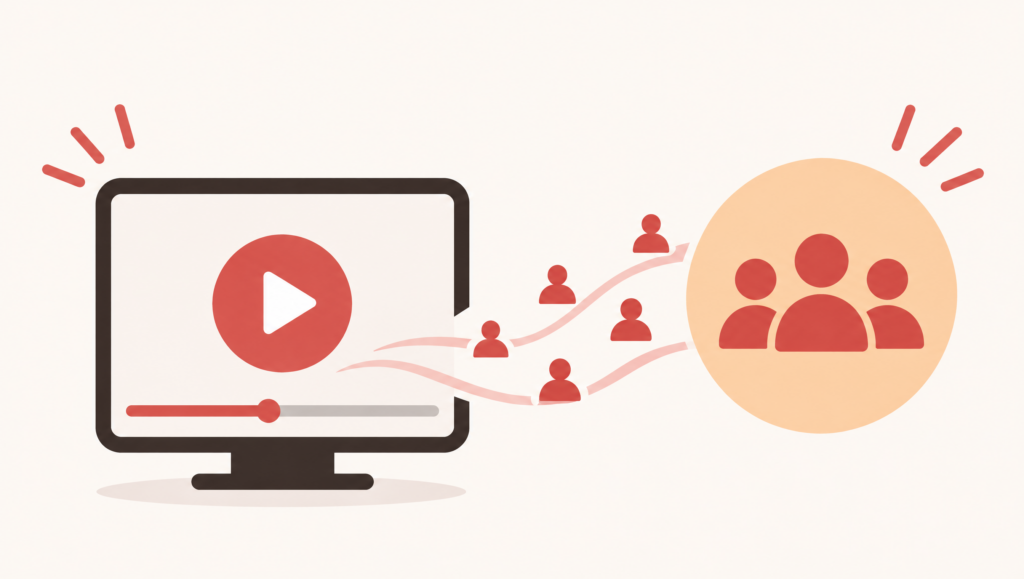
Short answer: LinkedIn video retargeting builds an audience from people who watched a set share of your video ad, then shows them your next ad. Run the first video with a click-based charge when your objective allows it, pick a completion threshold that fits the video length and wait until the audience passes 300 members before you retarget.
The cheapest warm list on LinkedIn often comes from a video ad that nobody clicks. People watch, learn something and scroll on. Later, you show them a stronger offer. This guide explains how to set up LinkedIn video retargeting and how to measure what each warm member costs.
Why viewers are a better signal than clicks
On LinkedIn, few people click on cold ads. Many more watch part of a video. A person who watched half of a two minute explainer spent real attention on your topic. Therefore, viewers make a bigger and often better warm pool than clickers. LinkedIn itself suggests that leads who watched more of a video may be more likely to qualify, as noted on its video measurement page.
The pay per click, collect viewers setup
The idea is simple. If you pay only when someone clicks to your site, every view is free. LinkedIn’s bidding options show that some objectives, such as website visits with manual bidding, charge by landing page click rather than by impression. Check the current options in the bidding strategies article, since availability changes by objective and format.
- Create a video ad set with an objective that charges by click.
- Use manual bidding and set a bid you are happy to pay for a real visit.
- Make the video useful on its own, with the call to action at the end.
- Build a video view audience from that ad set.
The trade-off: click-based delivery may reach fewer people than an awareness objective, since LinkedIn favors ads it expects to get clicks. Test both and compare the cost per warm member.
Video length and completion thresholds
LinkedIn lets you build video audiences by how much people watched: 25%, 50%, 75% or 97%. Its video metrics article defines a completion as 97% to 100% of the length. LinkedIn’s own retargeting checklist gives a simple rule: for videos under 30 seconds choose 50% or higher, otherwise 25% or higher.
| Threshold | Audience size | Signal quality | Best for |
|---|---|---|---|
| 25% | Largest | Light interest | Long videos, small budgets |
| 50% | Medium | Clear interest | Short videos, most tests |
| 75% or 97% | Smallest | Strong interest | Large audiences, sales offers |
Some advertisers prefer higher thresholds for stricter quality. However, a stricter cut means a smaller pool, so it may take weeks to reach the minimum. Start with LinkedIn’s rule, then compare the next stage results by threshold.
Test several angles from one video
You do not need five videos to test five messages. Instead, keep one video and change the headline and intro text. Each version gets its own ad, and the views all feed the same retargeting audience. As a result, you learn which angle gets watched most while the warm pool keeps growing.
Document ads as a second source
Video is not the only engagement signal. Document ads, event ads and lead gen form opens can also seed retargeting audiences on LinkedIn. A short guide or checklist as a document ad suits audiences who prefer to read. Combine both pools in the next stage to reach the 300 member minimum faster.
Minimum size and retargeting window
A retargeting audience must reach at least 300 member accounts before ads can deliver, according to LinkedIn’s Matched Audiences best practices. You can also choose how far back to look, from 30 up to 365 days. For B2B, 90 to 180 days is a sensible middle, since buying cycles are long.
Stage 1 plan for LinkedIn video retargeting
| Item | Plan |
|---|---|
| Video | One 60 to 90 second explainer of a real problem |
| Headlines | Five versions: cost, risk, speed, proof and how to |
| Threshold | 25% for long videos, 50% for short ones |
| Window | 90 days |
| Cost per warm member | Stage 1 spend divided by the audience size after 30 days |
The last row is the key number. If one setup builds warm members at half the cost of another, keep it. For how this fits a wider plan, read our guide to the 3-stage LinkedIn Ads funnel.
Limits
- A view is not intent to buy. Treat the audience as warm, not hot.
- Small target lists may never reach 300 viewers at high thresholds.
- Click-based setups can limit reach, so compare them with awareness objectives.
Frequently asked questions
What completion threshold should I use?
LinkedIn suggests 50% or higher for videos under 30 seconds and 25% or higher for longer ones. Test from there.
How long until a video audience is ready?
It depends on budget and audience. It is ready once it reaches 300 member accounts.
Can I retarget viewers with a non-video ad?
Yes. The video audience works with other formats, such as single image, document or Thought Leader Ads.
Is LinkedIn video retargeting worth it for small budgets?
Often yes, because the click-based setup can build a warm pool without paying for every view.
Conclusion
LinkedIn video retargeting turns attention into an audience you can sell to later. Pay for clicks where you can, pick a sensible threshold, test angles with headlines and track the cost per warm member. Then retarget that pool with proof, for example through Thought Leader Ads.
Want more practical guides on LinkedIn Ads? Browse the latest articles on the Blippu blog.